One message, the right people, straight away.
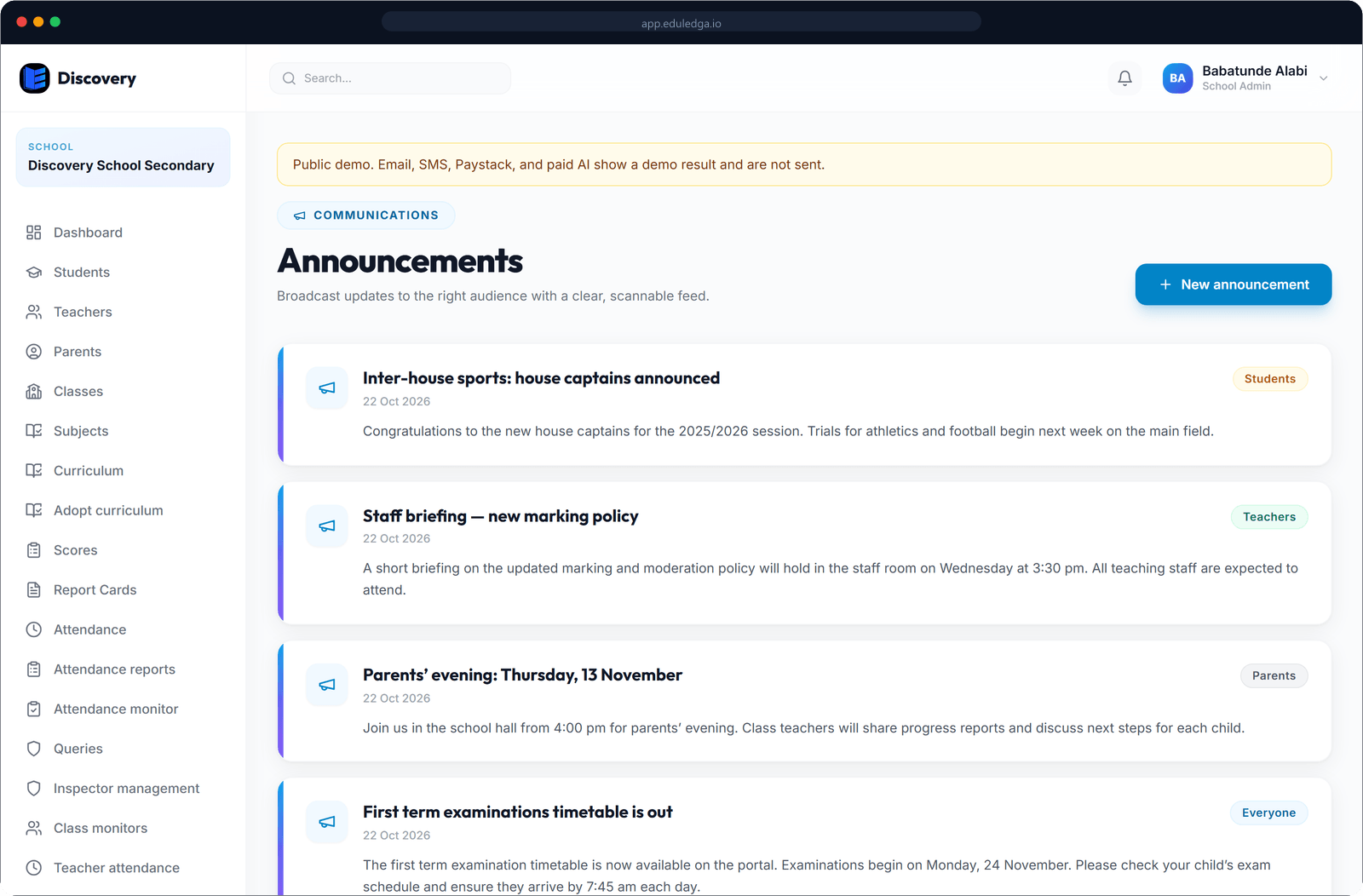
Send a notice to the whole school, or only to parents, students or teachers. It reaches them in EduLedga and by SMS, WhatsApp, email and push notification, and you can see what was delivered.
The short answer
EduLedga keeps families and staff informed without a dozen group chats. Write an announcement once and send it to everyone, or only to parents, students or teachers. It appears in their EduLedga portal and goes out through SMS, WhatsApp, email and push notifications. EduLedga also sends automatic updates when something happens, such as a child marked absent, results published or a fee overdue. Delivery reports show what got through.
Fewer phone calls to the school office.
Announcements to the right audience
Send a notice to the whole school, or only to parents, students or teachers. Edit or remove it later if plans change.
Every channel parents use
Messages reach people in their EduLedga portal and by SMS, WhatsApp, email and push notification.
Automatic updates
Parents hear the same day when their child is absent, when results are published, when a fee is overdue, and when the end-of-session outcome is decided. Students hear when an online exam is scheduled for their class.
Delivery reports
See which messages were sent and delivered on each channel, so you know who got the news.
The parent portal
Parents see notices, results, attendance and fees for all their children in one place.
Learn moreNotices on your website
Share school news and events publicly on your school website.
Learn more- 1
Write your announcement.
- 2
Choose who it is for: everyone, parents, students or teachers.
- 3
Send it. It appears in their portals and goes out on your school's channels.
- 4
Check the delivery report.
Reach parents where they already are.
Many Nigerian parents live on WhatsApp and SMS, and not every parent checks email. EduLedga sends your news through the channels families actually use, so the PTA meeting, the mid-term break and the fee deadline are never missed.
Related modules
Related guides
Frequently asked questions
Can we send SMS and WhatsApp messages?
Yes. Announcements and automatic updates go out by SMS, WhatsApp, email and push notification, as well as in the EduLedga portal.
Can we send a message only to parents?
Yes. Choose everyone, parents, students or teachers for each announcement.
Do parents need to download an app?
No. Parents see everything in their phone's browser, and messages reach them by SMS, WhatsApp and email too.
Can we see who received a message?
Yes. Delivery reports show what was sent and delivered on each channel.
Are parents told when their child is absent?
Yes, the same day the child is marked absent.