Know who's in class, every morning.
Teachers take the register on a phone or computer in seconds. Parents hear the same day if their child is absent. Principals see every class, every day, without counting a single paper register.
The short answer
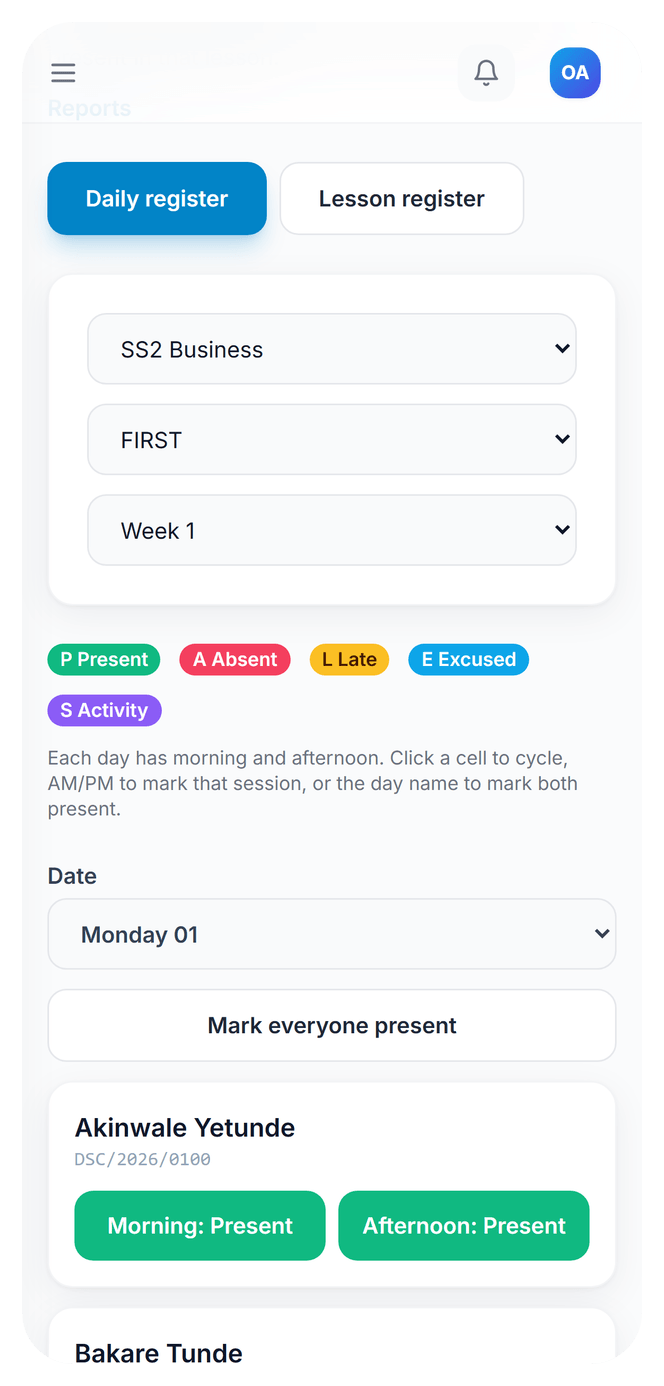
EduLedga gives every class a digital register. Teachers mark each pupil present, absent, late, excused or away on a school activity, once a day or morning and afternoon, and subject teachers can also take a register for each period. Parents are alerted the same day when their child is absent. Daily, weekly, monthly and termly reports are ready for the principal, can be downloaded as PDF or CSV, and attendance appears on the report card.
Registers that run themselves.
Daily registers
Mark the whole class in one screen. Choose one register a day, or morning and afternoon registers if your school takes both.
Period registers
Subject teachers can take a register for their own lesson, so you know who was in Maths as well as who was in school.
Clear reasons
Present, absent, late, excused or on a school activity, so a pupil at a debate competition is not counted as truant.
Same-day absence alerts
When a child is marked absent, their parent is told the same day, through the channels your school uses.
Mark a whole week
Catch up on a week's register in one grid when a teacher has been away from the system.
Registers that stay honest
Yesterday's register can be corrected for a set number of hours, then it locks, so records can't be changed weeks later.
See who hasn't marked
A compliance view shows which classes and teachers have not taken today's register.
Reports and exports
Daily, weekly, monthly and termly reports, by class, subject or pupil. Download any report as PDF or CSV.
On the report card
Each pupil's attendance summary is printed on their termly report card.
Learn moreOptional QR check-in
Schools that want it can use QR code check-in alongside the register.
- 1
Set your school's register type: once a day, or morning and afternoon.
- 2
Each morning, the class teacher opens the register and marks each pupil.
- 3
Parents of absent pupils are alerted the same day.
- 4
The principal checks the compliance view and the daily report.
- 5
At the end of the week or term, download the attendance report as PDF or CSV.
Built for the Nigerian school register.
Morning and afternoon registers, attendance on the termly report card, and the attendance figures the Annual School Census asks for. EduLedga keeps the register the way your school already does, and keeps it census-ready. → /dynamics
Related guides
Frequently asked questions
Can teachers take the register on a phone?
Yes. EduLedga runs in any phone or computer browser, with nothing to download.
Are parents told when their child is absent?
Yes. The parent is alerted the same day the child is marked absent.
Can we take morning and afternoon registers?
Yes. Choose one register a day, or morning and afternoon.
Can we export attendance?
Yes. Download daily, weekly, monthly and termly reports as PDF or CSV.
Can a register be changed later?
A register can be corrected for a set number of hours after the day ends, then it locks to protect the record.