Your child's school day, on your phone.
Results, report cards, attendance, fees and school news for all your children, in one place. It works in your phone's browser, so there's nothing to download.
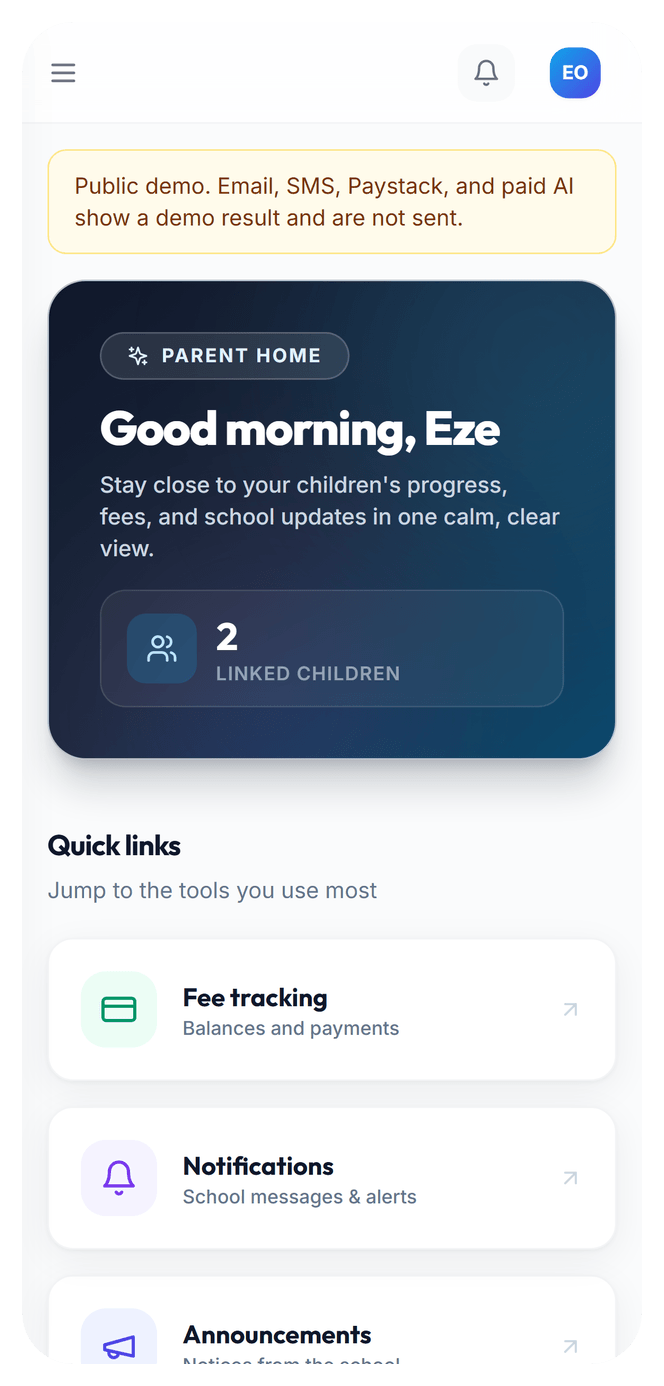
The short answer
When your child's school uses EduLedga, the school creates your parent account and sends you your sign-in details. Once you sign in, you see your children's results and report cards, their attendance, the fees owed and paid, and every notice from the school. You hear the same day if your child is marked absent, and you can pay fees online through Paystack and get a receipt straight away.
Everything the school office used to phone you about.
Results and report cards
See CA and exam scores, grades, positions and teacher and principal comments as soon as the school publishes them. View the termly report card in your portal once the school releases it.
Learn moreAttendance alerts
Hear the same day when your child is marked absent, and see their attendance record for the term.
Learn moreFees and Paystack payments
See every fee item and balance, pay in full or in instalments through Paystack, and download your receipt.
Learn moreSchool announcements
Get notices about PTA meetings, mid-term breaks and fee deadlines in your portal and by SMS, WhatsApp, email and push notification.
Learn moreYour child's progress
Follow your child term by term: scores, grades, positions, attendance and teachers' comments, all kept in one place.
Learn moreAll your children, one login
One parent login shows every child the school has linked to you, even in different classes.
Your school sets you up.
- 1
Your child's school creates your parent account and sends you your sign-in details.
- 2
Open your phone's browser and go to your school's EduLedga address.
- 3
Sign in with your own details.
- 4
See your children's results, attendance, fees and notices.
Parent accounts are created by the school. If you haven't received your details, ask your school office.
Pay school fees without the bank queue.
Your school sets its fees. EduLedga uses Paystack to collect them, so you can pay from your parent portal by the methods Paystack offers, such as card, bank transfer or USSD. Your card details are entered on Paystack's secure pages: neither the school nor EduLedga receives your full card number, PIN or OTP. The payment is recorded against your child straight away and your receipt is ready to download.
Your child's records are safe and private.
Your child's school controls your child's records, and EduLedga processes them for the school under the Nigeria Data Protection Act 2023. You see only your own children. Each person at the school sees only what their role needs, and every change is kept on record. EduLedga does not use pupil data to train AI models.
Frequently asked questions
Do I need to download an app?
No. EduLedga works in Chrome, Safari or any modern browser on your phone, tablet or computer.
Read moreHow do I get my sign-in details?
Your child's school creates your account and gives you your details. If you haven't received them, ask the school office.
I have children in two classes. Do I need two accounts?
No. One parent login shows all the children your school has linked to you.
Does EduLedga charge parents?
No. Your school pays EduLedga. You pay your school fees to the school, through Paystack.
A fee payment went through but doesn't show. Who do I contact?
Start with your school's bursar, who can see every payment. If it still isn't right, email support@eduledga.com with the payment reference.
Read moreMy child's school doesn't use EduLedga. Can I still sign up?
EduLedga accounts are created by schools. Tell your school about us, or ask them to get in touch at hello@eduledga.com.
Read more