Less paperwork. More teaching.
Your register, score sheet, report-card comments, lesson notes, CBT tests and timetable in one teacher portal. It works on your phone's browser, so you can mark the register from the classroom.
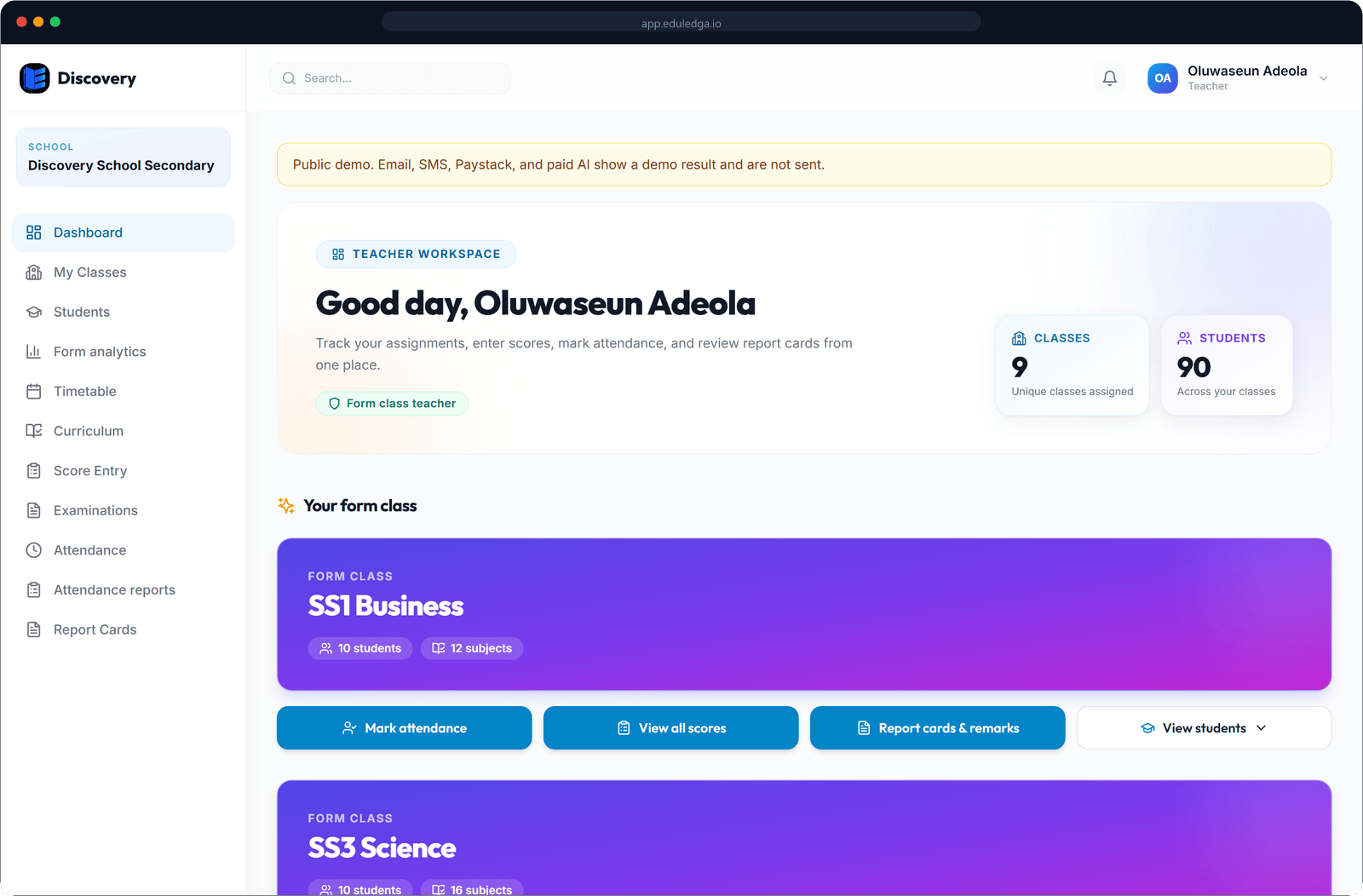
The short answer
EduLedga gives every teacher their own portal for the classes and subjects they teach. Mark the register, with optional QR check-in. Enter 1st CA, 2nd CA and exam scores once, and EduLedga works out totals, grades and positions. Write report-card comments with an AI suggestion to start from. Get a lesson-note draft for each week's topic, then edit and publish it as your own. Set timed CBT tests that mark objective questions for you.
Everything you used to do in four notebooks.
Registers, including QR check-in
Mark each pupil present, absent, late, excused or away on a school activity, once a day or morning and afternoon, or take a register for each period. Schools that want it can use QR code check-in alongside the register. Parents of absent pupils are alerted the same day.
Learn moreScore entry and CA
Enter 1st CA, 2nd CA and exam scores for your own subjects. EduLedga adds them up, applies your school's grading scale and works out positions and averages.
Learn moreReport-card comments
Write your own comment for each pupil. AI can suggest a starting comment from the pupil's results, and you edit and approve every word.
Learn moreLesson notes drafted with AI
For each week's topic in the scheme of work, get a draft lesson note with objectives, steps and activities. You review it, edit it and publish it as your own.
Learn moreCBT and online exams
Write questions, import them from Excel or ask AI to draft them, then check and edit them before scheduling a timed exam. Objective questions mark themselves, and marks go straight into your score sheet.
Learn moreYour timetable
See your periods and classes for the day and the week. EduLedga won't book you into two classes in the same period.
Learn moreAnnouncements
Get staff notices from the school in your portal and by SMS, WhatsApp, email and push notification, so you never miss a meeting or a deadline.
Learn moreHow it fits into your day.
- 1
Morning: open your timetable and mark the register.
- 2
In class: teach from the lesson note you reviewed and published.
- 3
After a test: enter the CA scores, or let the CBT marks flow into the score sheet.
- 4
End of term: add your report-card comments, ready for the principal to approve results before release.
AI drafts. You decide.
Lesson-note drafts, report-card comment suggestions and exam questions are written with DeepSeek, which we list as a sub-processor in China. They are a starting point, never the final word: you review, edit and approve lesson notes, comments and exam questions before they reach parents or students. Only what's needed for each task is sent, and EduLedga does not use pupil data to train AI models.
Built the way your school already works.
Two CAs and an exam each term, a scheme of work and weekly lesson notes for inspection, morning and afternoon registers and a full terminal report. EduLedga keeps your records the way Nigerian schools already do, matched to NERDC subjects and your school's own calendar.
Frequently asked questions
Can I use EduLedga on my phone?
Yes. EduLedga works in the browser on any smartphone, tablet or computer, with nothing to download.
Read moreWhat stops scores being changed after results are out?
Each subject teacher enters scores for their own subjects in their own portal, and every change is kept on record. Once results are final, the school can lock the term so nothing changes.
Do I have to use the AI lesson-note drafts?
No. Drafts are there to save time. You can write your own notes, and any draft you use is reviewed and edited by you before it is published.
Who gives me my account?
Your school creates your teacher account and gives you your sign-in details. Sign in at your school's EduLedga address.
Read moreCan I try it before my school signs up?
Yes. Our live demo has two schools, BluePark and Discovery. Pick the teacher role and click to log in. It resets at midnight WAT.
Read more