Works on the phone in your pocket.
EduLedga runs in any phone or computer browser. Parents check results and pay fees, teachers take registers and enter scores, and students sit exams, all without downloading anything.
The short answer
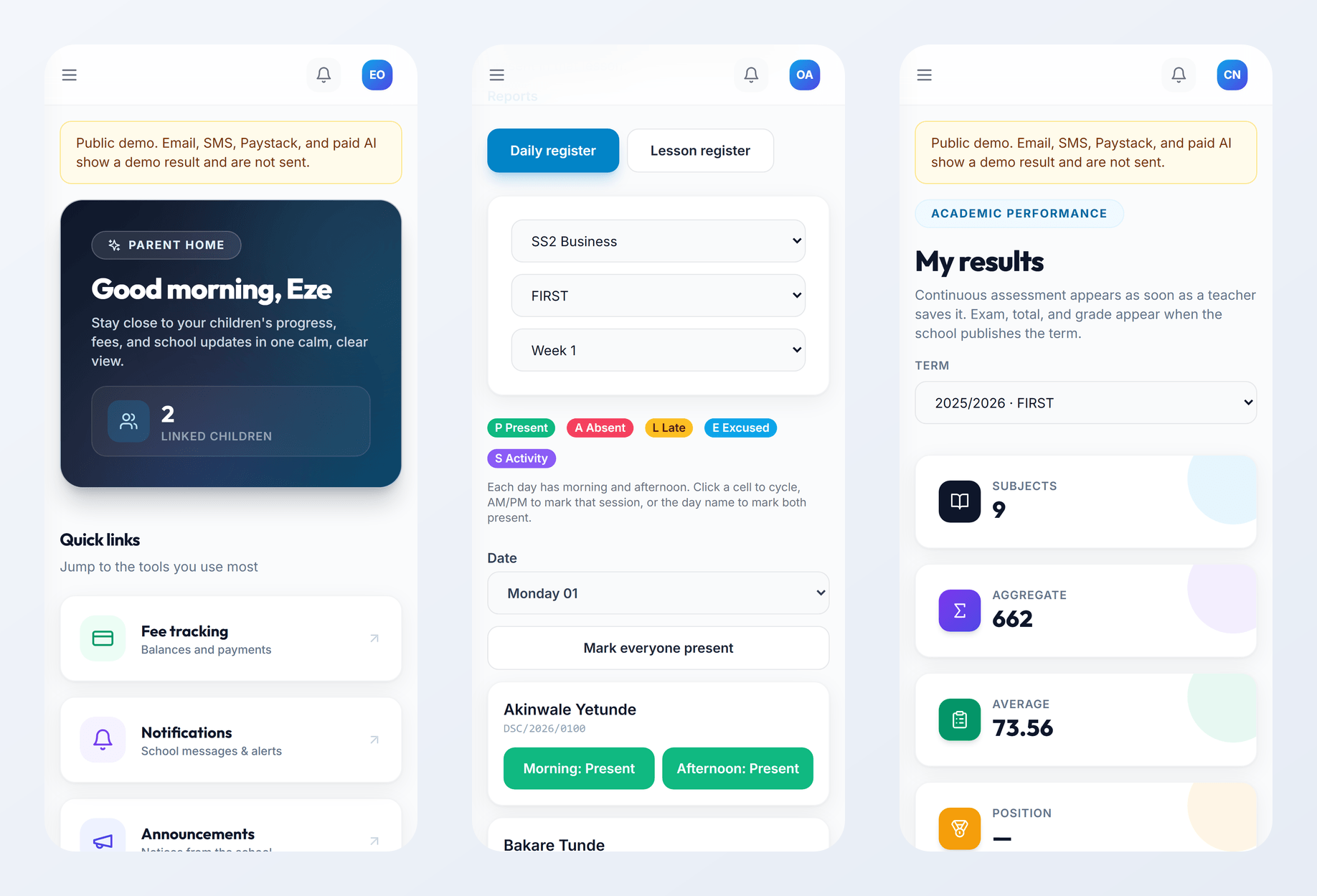
EduLedga is a web app. It works in the browser on any smartphone, tablet, laptop or desktop, so there is nothing to download or install and nothing to update. Each person signs in with their own account and sees their own view, sized for their screen. Messages from the school also reach families by SMS, WhatsApp and email.
Everything important, on a small screen.
Parents
See results, report cards, attendance, fees and notices for all your children. Pay fees online and download receipts.
Teachers
Take the register, enter scores, check your timetable and next class, and review lesson-note drafts.
Students
See your timetable and results, sit online exams and use AI study support.
Bursars
Check who has paid and what is outstanding, wherever you are.
Principals and proprietors
Check today's attendance, results and fee collection from the dashboard.
Class monitors
Confirm each period's lesson from the class timetable.
No download. No updates. No storage full.
Because EduLedga runs in the browser, it works on the phones families already have, without using up phone storage or waiting for updates. Everyone always sees the latest version, and you sign in the same way on a phone or a computer.
- 1
Your school creates your account.
- 2
Open your phone's browser and go to your school's EduLedga address.
- 3
Sign in with your own details.
- 4
Use it the same way you would on a computer.
Built for the phones parents already use.
Most Nigerian parents reach the internet on a smartphone, and many share one between the family. EduLedga works in the browser they already have, and the school's most important news also goes out by SMS and WhatsApp.
Related modules
Related guides
Frequently asked questions
Is there an EduLedga app to download?
No download is needed. EduLedga runs in any phone or computer browser.
Which phones does it work on?
Any smartphone with an up-to-date web browser.
Can parents pay fees on a phone?
Yes. Parents pay online from their portal and get a receipt. EduLedga uses Paystack to collect fees.
Can teachers enter scores on a phone?
Yes. Teachers can take registers and enter scores on a phone.
Do parents without smartphones miss out?
Important messages also go out by SMS, so parents on basic phones still hear from the school.