Report cards your parents will actually read.
Termly and session report cards built straight from approved scores, with your school's logo, teacher and principal comments, affective and psychomotor ratings and an attendance summary. Download, print or release them to parents online.
The short answer
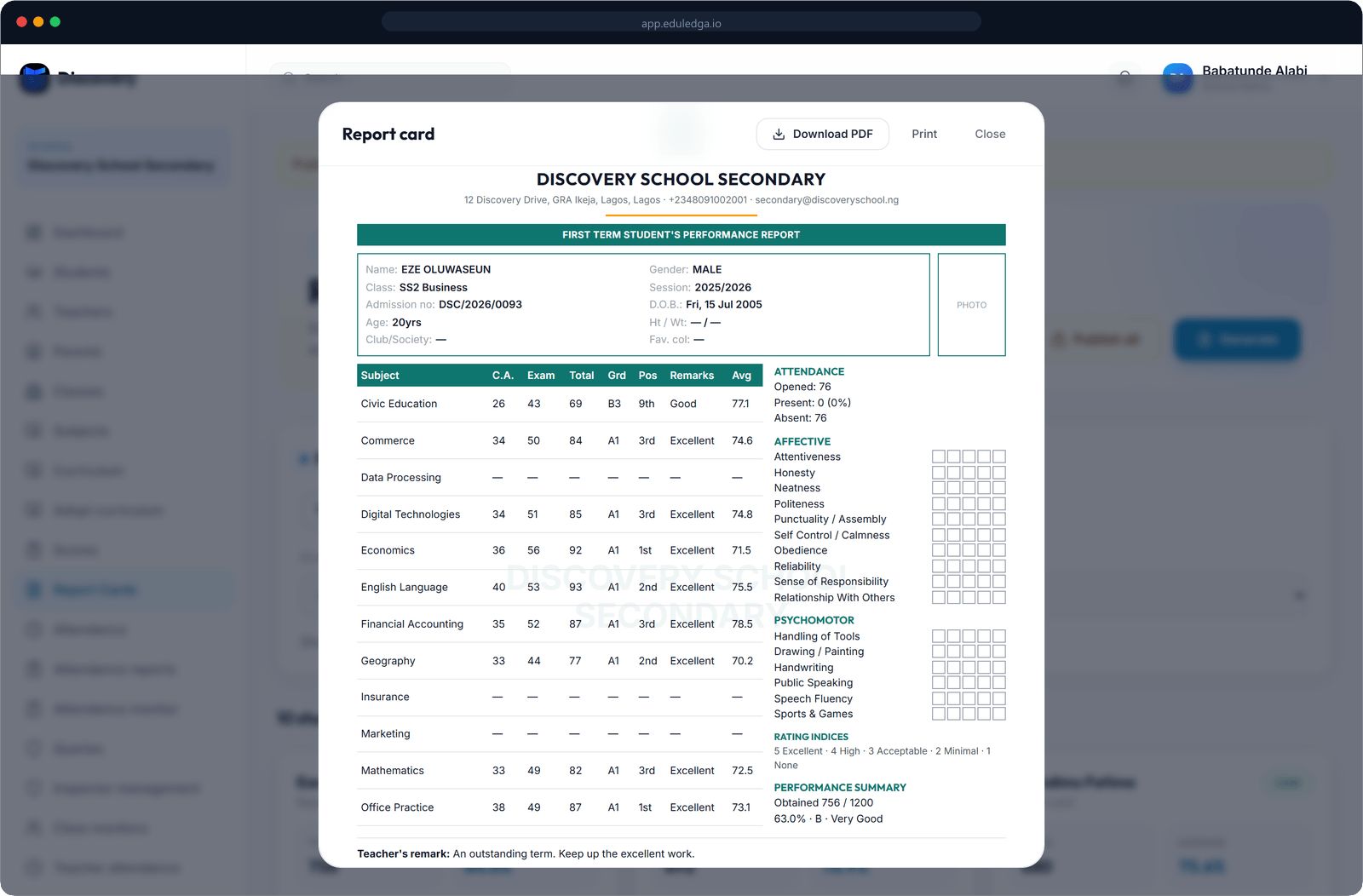
EduLedga builds each pupil's report card from the scores your teachers have already entered, so nothing is copied by hand. Each card carries subject scores, grades, positions and class averages, teacher and principal comments, affective and psychomotor ratings, height and weight where you record them, and attendance. Choose a design with your school's logo, download PDFs to print, or publish the cards so parents can see them online.
From score sheet to report card, without retyping.
Built from approved scores
Report cards are generated from the scores in EduLedga, so the card always matches the record.
Termly and session reports
Produce a report card for each term, and a session report card that brings the whole year together.
Comments, with help
Class teachers and principals write their own comments. AI can suggest a starting comment from the pupil's results, and the teacher edits and approves every word.
Affective and psychomotor ratings
Rate punctuality, neatness, sports, handwriting and the other traits your school reports on.
Measurements and attendance
Add height and weight if your school records them. Each pupil's attendance summary is included automatically.
Your school's look
Choose from report-card designs and add your school's logo, name and admission-number format.
Print or share
Download any card as a PDF to print, or publish the term's cards so parents can view them in their portal.
- 1
Teachers finish entering scores, and results are reviewed.
- 2
Generate the term's report cards for a class.
- 3
Class teachers and the principal add comments and ratings.
- 4
Check each card, then download PDFs or publish to parents.
The terminal report, done properly.
Positions, class averages, affective and psychomotor ratings and the principal's remark: Nigerian parents expect a full terminal report, and EduLedga gives them one, without your teachers spending a weekend copying scores by hand.
Related modules
Related guides
Frequently asked questions
Can we add our school logo?
Yes. Choose a report-card design and add your school's logo and name.
Do teachers still write comments?
Yes. Teachers and principals write or edit every comment. AI can suggest a starting point, but nothing goes on a card without a teacher's approval.
Can parents see report cards online?
Yes. Once you publish a term's report cards, parents can view them in their portal.
Can we print report cards?
Yes. Download any card as a PDF and print it.
Is there a session report card?
Yes. Alongside termly cards, EduLedga produces a session report card for the whole year.