Practise online. Mark instantly.
Set timed online exams from your own question bank. Questions are shuffled for each student, answers save as they go, objective questions mark themselves, and the marks flow straight into your score sheet.
The short answer
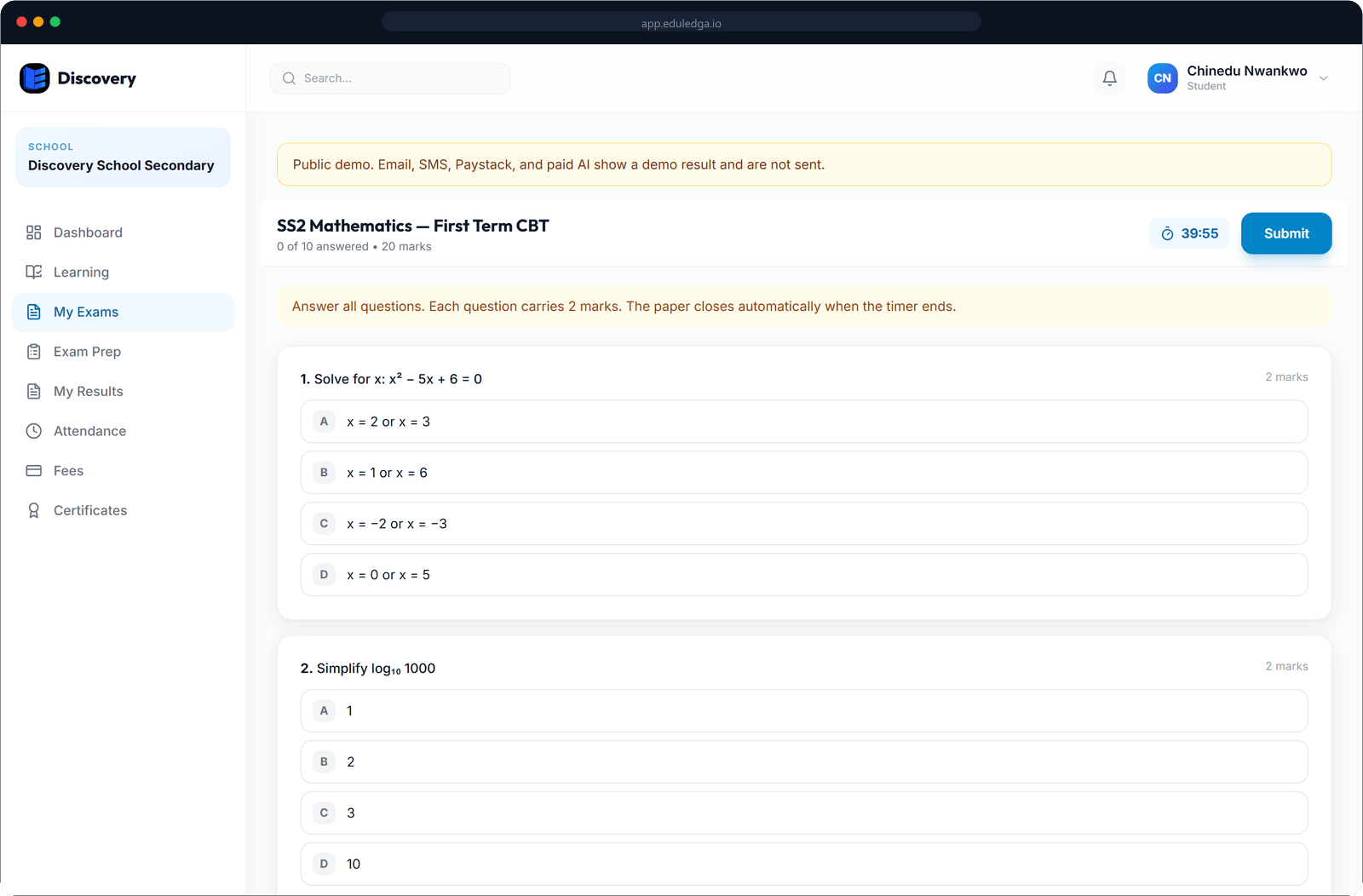
EduLedga runs computer-based tests and exams for your school. Teachers write questions, import them from Excel or ask AI to draft them, then schedule a timed exam for a class. Students sit it in a browser. Question order is shuffled for each student, every answer saves as they go, and a student who loses connection can pick up where they left off. Objective questions are marked automatically; teachers mark theory answers with a marking guide. Results come with per-question analytics and can be pushed into the score sheet. Students also get WAEC, NECO and JAMB-style practice exams.
Exams without the photocopier.
Your own question bank
Write objective, true-or-false, short-answer and essay questions, or import them from the Excel template. Tag questions by curriculum topic and difficulty.
AI-drafted papers
Ask for a paper by topic, question type and difficulty. AI drafts the questions, and the teacher checks and edits them before use.
Timed and scheduled
Set the duration and the window when the exam opens and closes. The class is told when an exam is scheduled.
Shuffled for each student
Question order is shuffled for every student, so neighbours aren't on the same question.
Autosave and resume
Every answer is saved as the student goes. If their connection drops, they can sign back in and carry on where they stopped.
Automatic and guided marking
Objective questions mark themselves. Teachers mark short-answer and essay questions against a marking guide with marking points.
Per-question analytics
See the average, the highest score, the pass rate and the percentage of students who got each question right.
Straight into the score sheet
Push marks into the exam column with one action; totals and positions update.
Learn morePaper copies too
Download any exam as a PDF, with an answer guide for teachers.
WAEC, NECO and JAMB practice
Students get WAEC, NECO and JAMB-style practice exams, with timed sittings, question flagging, review and explanations.
- 1
Write, import or AI-draft your questions.
- 2
Schedule the exam for a class, with a duration and an opening window.
- 3
Students sit it in their browser; answers save as they go.
- 4
Objective answers are marked automatically; teachers mark theory with the guide.
- 5
Review the analytics and push marks into the score sheet.
Ready for exam season.
JAMB's UTME is computer-based, and many schools now run their own CBT tests. EduLedga lets your students practise in a timed, on-screen format all year, and gives your teachers marks they can use straight away, without a weekend of marking objective scripts.
Related modules
Frequently asked questions
Can students sit exams on a phone?
Yes. Exams run in any phone or computer browser, with nothing to download.
What happens if a student's connection drops?
Every answer is saved as they go. When they sign back in, they carry on from where they stopped, within the exam's time.
Are theory questions marked automatically?
No. Objective questions are marked automatically. Teachers mark short-answer and essay questions against a marking guide.
Does EduLedga include past questions?
No. EduLedga does not come with a past-question bank. Students can sit timed WAEC, NECO and JAMB-style practice exams, and your teachers can set their own CBT papers.
Can we import questions from Excel?
Yes. Download the template, fill it in and import it.