From the curriculum to tomorrow's lesson.
Load the curriculum, turn it into a scheme of work that fits your real term dates, and get a lesson-note draft for each week that the teacher reviews, edits and owns.
The short answer
EduLedga holds your curriculum, topic by topic, matched to NERDC subjects and levels. It turns that curriculum into a scheme of work laid out on your own school weeks. For each week, a teacher can ask for a lesson-note draft. The draft is a starting point: the teacher reviews it, edits it and publishes it as their own. Students also get AI study support for revision. Lesson notes and student study support are drafted with DeepSeek, which we list as a sub-processor. EduLedga does not use pupil data to train AI models.
Less writing. Better lessons.
A curriculum library
Load curriculum documents and EduLedga breaks them into subjects, topics and subtopics your school can adopt.
Matched to NERDC
Set up subjects to the 2025 revised NERDC curriculum, level by level.
Learn moreSchemes of work on your calendar
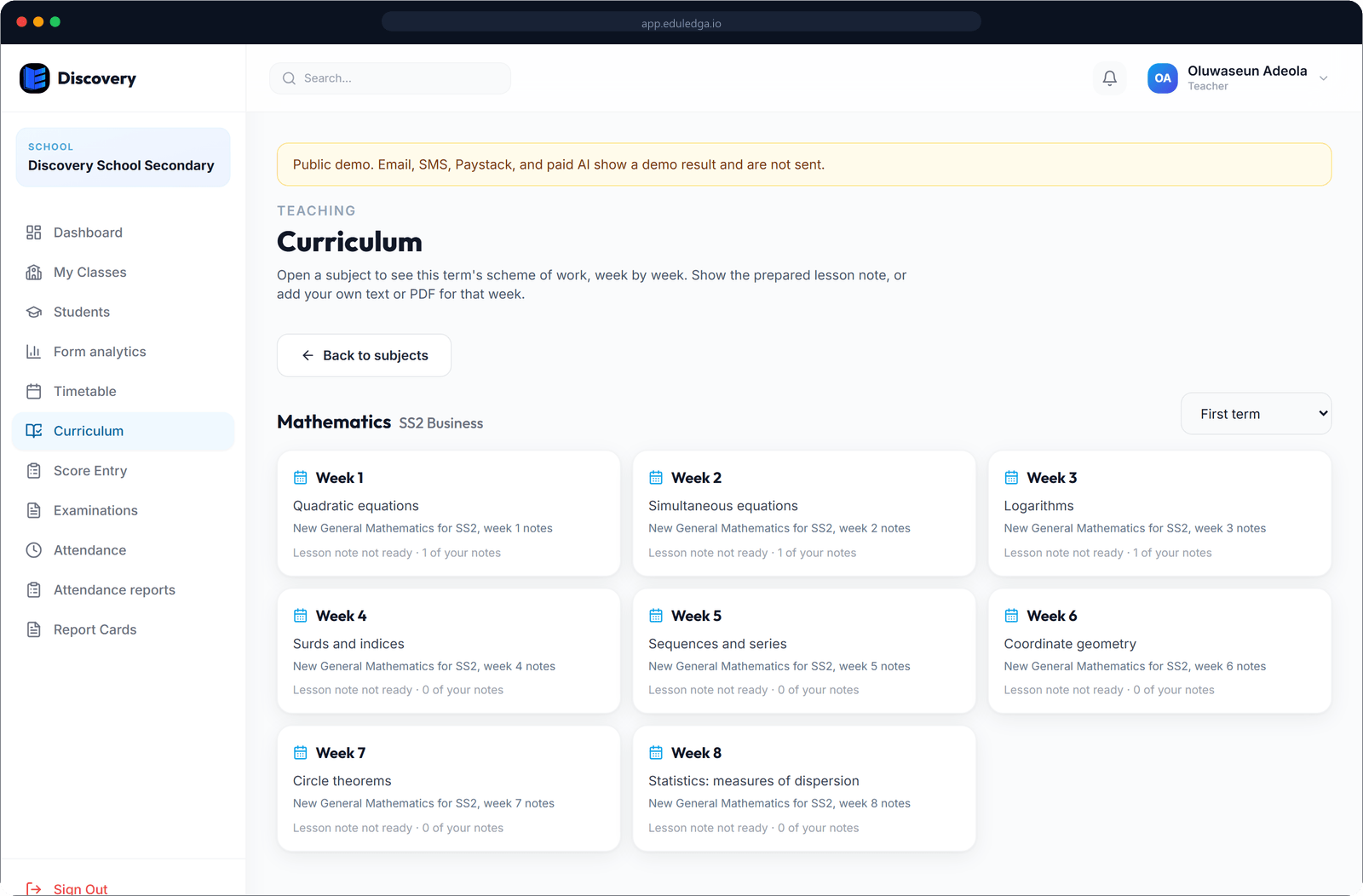
EduLedga lays out each subject's topics across your real school weeks for the term, so the scheme of work matches the calendar.
Learn moreLesson-note drafts
For each week's topic, a teacher can get a draft lesson note with objectives, steps and activities, in a teaching approach the school chooses.
Teachers own the note
Every draft is marked for review. The teacher edits it and publishes it when they are happy. Nothing is published without them.
Term exams from the curriculum
Build term exams for each class and subject from the curriculum topics you've taught.
Learn moreAI study support for students
Students get AI study notes, subject chat and step-by-step help with Maths, to revise at their own pace.
AI drafts. Teachers decide.
The lesson-note draft saves the hours spent copying from old notebooks. It is never the final word. A teacher reviews, edits and approves every note before it is published. Drafts are written with DeepSeek, a trained model we use through DeepSeek's API and list as a sub-processor. Only what's needed to draft the lesson note is sent, such as the subject, class level and topic, and EduLedga does not use pupil data to train AI models. Teachers get an approved tool inside EduLedga, so nobody needs to paste school material into a public chatbot. → /security
- 1
Add the curriculum for your subjects and levels.
- 2
EduLedga lays out the scheme of work on your school weeks.
- 3
Each week, the teacher opens the topic and gets a lesson-note draft.
- 4
The teacher edits and publishes the note. HODs and principals can see it.
Lesson notes, the Nigerian way.
Nigerian teachers are expected to keep a scheme of work and weekly lesson notes for inspection. EduLedga gives them both, matched to NERDC subjects and the school's own calendar, so the notebook check becomes a quick look on screen.
Frequently asked questions
Is the lesson note written by AI?
AI writes a draft. The teacher reviews, edits and publishes it, and the published note is the teacher's own.
Is it matched to the NERDC curriculum?
Yes. Subjects can be set up to the 2025 revised NERDC curriculum, level by level.
Does the scheme of work follow our term dates?
Yes. It is laid out on your own school weeks for the term.
Which AI drafts the lesson notes?
Lesson notes are drafted with DeepSeek, which we list as a sub-processor. Only what's needed to draft the note is sent, and EduLedga does not use pupil data to train AI models. Student study support also uses DeepSeek.
Can students use AI to revise?
Yes. Students get AI study notes, subject chat and step-by-step Maths help.