Scores in once. Totals, grades and positions done for you.
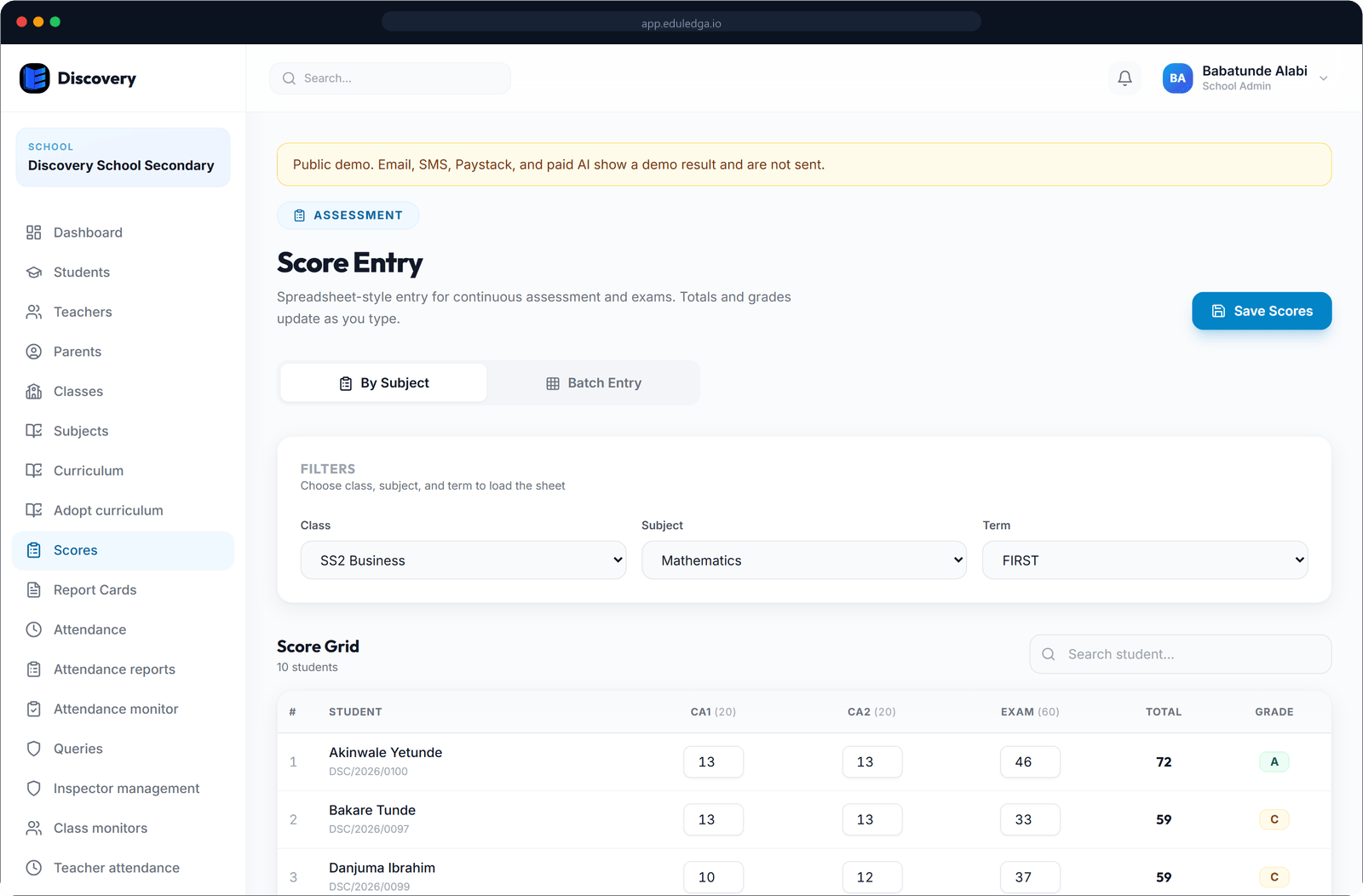
Each teacher enters 1st CA, 2nd CA and exam scores for their own subjects. EduLedga adds them up, applies your grading scale, works out positions and averages, and keeps every change on record.
The short answer
EduLedga replaces the master score sheet passed from teacher to teacher. Each subject teacher enters 1st CA, 2nd CA and exam scores in their own portal. EduLedga works out totals, grades from your school's own grading scale, subject positions, class positions and averages. Results are published to parents when you are ready, and the term can be locked so nothing changes after results are final. Online exam marks can flow straight into the score sheet.
Clean results, without the late nights.
Enter scores once
Teachers enter 1st CA and 2nd CA (up to 20 marks each) and the exam (up to 60 marks), for a total out of 100, for the classes and subjects they teach. No retyping into a master sheet.
Your grading scale
Set your own grade bands and remarks, such as A1 to F9 or A to F, and your pass mark. EduLedga applies them to every score.
Totals, positions and averages
Totals, grades, subject positions, class positions and class averages are worked out for you as scores come in.
Whole-class entry
Enter or review scores for every subject in a class from one grid.
Online exams feed the sheet
Marks from EduLedga's online exams can be pushed straight into the exam column, and positions are updated.
Learn morePublish when ready
Results stay private until you publish them. Parents are told when results are published.
Lock the term
Once results are final, lock the term. Scores can't be changed unless an authorised person unlocks it.
Every change on record
Each score keeps its own history, so you can see who changed it and when.
- 1
Set your grading scale and pass mark.
- 2
Teachers enter 1st CA, 2nd CA and exam scores through the term.
- 3
EduLedga works out totals, grades, positions and averages.
- 4
The principal or headmaster reviews results and publishes them.
- 5
Lock the term, then generate report cards.
Learn more
CA and exams, the Nigerian way.
Two continuous assessments of up to 20 marks each and an exam of up to 60 each term, positions in class and in each subject, and grade bands your parents already understand. Clean CA records also matter later, when your students register for WAEC, NECO and BECE.
Related modules
Related guides
Frequently asked questions
Can we use our own grading scale?
Yes. Set your own grade bands, remarks and pass mark, and EduLedga applies them to every score.
Does EduLedga calculate positions?
Yes. Subject positions, class positions and class averages are worked out automatically.
Can teachers change scores after results are out?
Not once the term is locked. An authorised person can unlock it if a correction is needed, and every change is recorded.
When do parents see results?
Only when you publish them. Parents are told when results are published.
Can online exam marks go into the score sheet?
Yes. Push the marks from an online exam into the exam column with one action.