Move the whole school up, without retyping a single name.
At the end of the session, EduLedga suggests an outcome for every student from their results. You review it, decide, and the whole school moves into the new session in one go.
The short answer
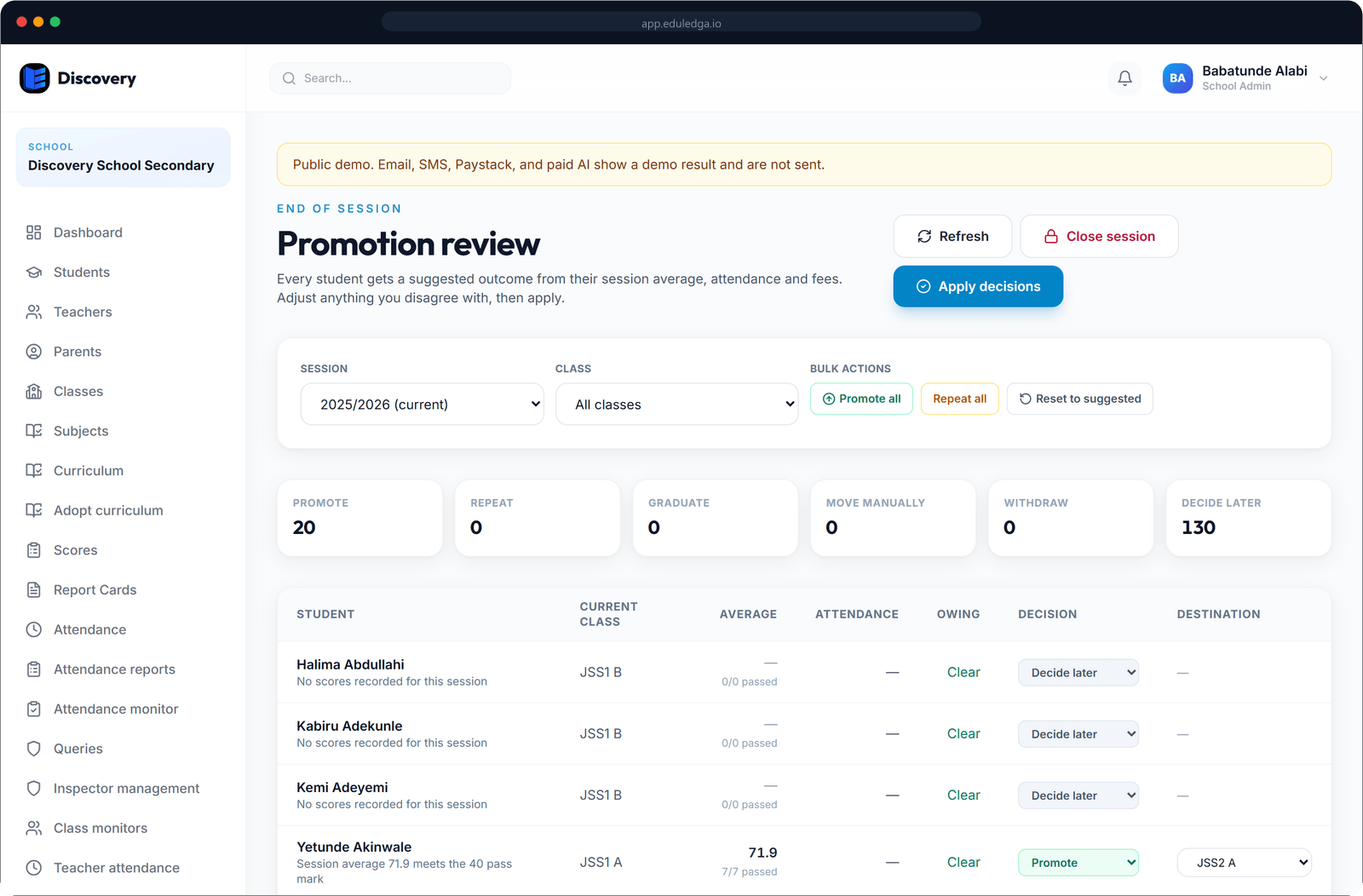
EduLedga handles the end of the session for you. A promotion preview shows each student's session average and attendance and suggests an outcome: promote to the next class, repeat, or graduate from the final class. Your school makes the final decision for every student. Then EduLedga moves each student into their new class, closes the old session, opens the new one, tells students and parents the outcome, and keeps the full history.
End of session, without the stress.
A preview before anything changes
See every student's session average, attendance rate and suggested outcome before you commit.
Suggestions from your pass mark
Students at or above your pass mark are suggested for promotion; those below are suggested to repeat; students finishing the final class are suggested to graduate.
You decide
Change any suggestion. Promote, repeat, graduate, move to a different class or mark as withdrawn, student by student.
The right next class
Students move to the next class at the same arm where it exists, so JSS 1A goes to JSS 2A. If a next class is missing, EduLedga tells you so you can create it.
Graduation
Final-year students are marked as graduated, and their records stay in your school's history.
Families told
Students and parents receive a clear message about the outcome.
Close one session, open the next
Close the old session and open the new one in the same step. If you need to correct something, an authorised person can reopen it.
History kept
Every student's class for every session stays on their profile.
- 1
Make sure the session's results are complete.
- 2
Open the promotion preview and review each class.
- 3
Change any suggested outcome you disagree with.
- 4
Confirm. Students move to their new classes, the new session opens and families are told.
Built for the September rollover.
Primary 6 to JSS 1, JSS 3 to SS 1, SS 3 to graduation: the end of a Nigerian school session is a busy few weeks. EduLedga does the moving for you and keeps a clear record of every decision.
Related modules
Related guides
Frequently asked questions
Does EduLedga decide who repeats a class?
No. EduLedga suggests an outcome from your pass mark. Your school makes the final decision for every student.
Can we graduate final-year students?
Yes. Students finishing your final class are graduated, and their records stay in your history.
Do parents hear about the outcome?
Yes. Students and parents receive a message with the outcome.
What if we make a mistake?
An authorised person can reopen a closed session to correct it.
Is the student's history kept?
Yes. Each student's class for every session stays on their profile.