Your calendar, your terms.
Set your session and its three terms to your own dates, add holidays and mid-term breaks, and let scores, attendance and fees follow the right term automatically.
The short answer
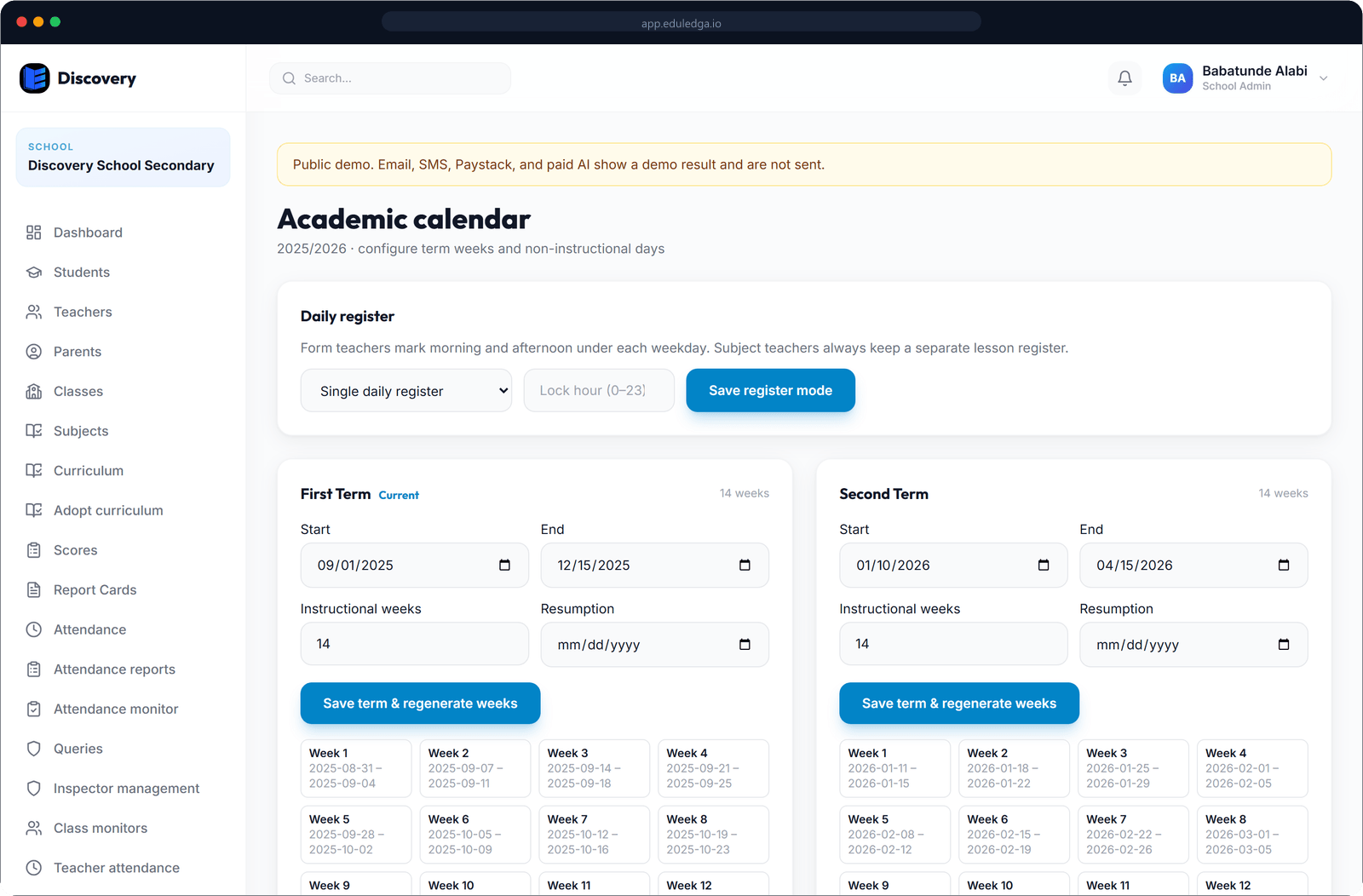
Everything in EduLedga belongs to a session and a term. You set the session and the start and end dates of first, second and third term, to match your school or your state's calendar. Add holidays and mid-term breaks, and EduLedga numbers your school weeks. Scores, attendance and fees are kept term by term. When a term's results are final, lock it. When the session ends, close it and open the next.
The school year, set up once.
Sessions and three terms
Create each session, such as 2026/2027, with first, second and third term on your own dates.
Holidays and breaks
Add public holidays and mid-term breaks, so everyone sees them on the school calendar.
Numbered weeks
EduLedga works out your school weeks for each term, which your schemes of work follow.
Learn moreThe current term, everywhere
Set the current session and term once. Registers, score sheets and fee items open on the right term for everyone.
Lock a term
When results are final, lock the term so scores can't be changed. An authorised person can unlock it if a correction is needed.
Close and open sessions
At the end of the year, close the session and open the next as part of promotion.
Learn moreA calendar for everyone
Staff, parents and students can see the school calendar.
- 1
Create your session and set the dates of all three terms.
- 2
Add holidays and mid-term breaks.
- 3
Generate the school weeks for each term.
- 4
Set the current term. Everyone works in the right term from then on.
Three terms, on your dates.
Nigerian schools run three terms a session, but term dates differ from state to state and between public and private schools, and strikes, elections and public holidays can move them. EduLedga lets you set and adjust your own dates, so the system follows your calendar, not the other way round.
Related modules
Related guides
Frequently asked questions
Can we set our own term dates?
Yes. Set the start and end of each term to match your school or state calendar, and change them if you need to.
Can we add mid-term breaks and holidays?
Yes. Add holidays and breaks, and they appear on the school calendar.
What does locking a term do?
It stops scores for that term being changed. An authorised person can unlock it if a correction is needed.
Do fees follow the term?
Yes. Fee items are set per class and term, so each term's bill is kept separate.
Read more