Bring every learner in, even without an email address.
Take applications online, run interviews and entrance assessments, send admission letters and enrol, all in EduLedga. Already have a roll? Import it from a spreadsheet in minutes.
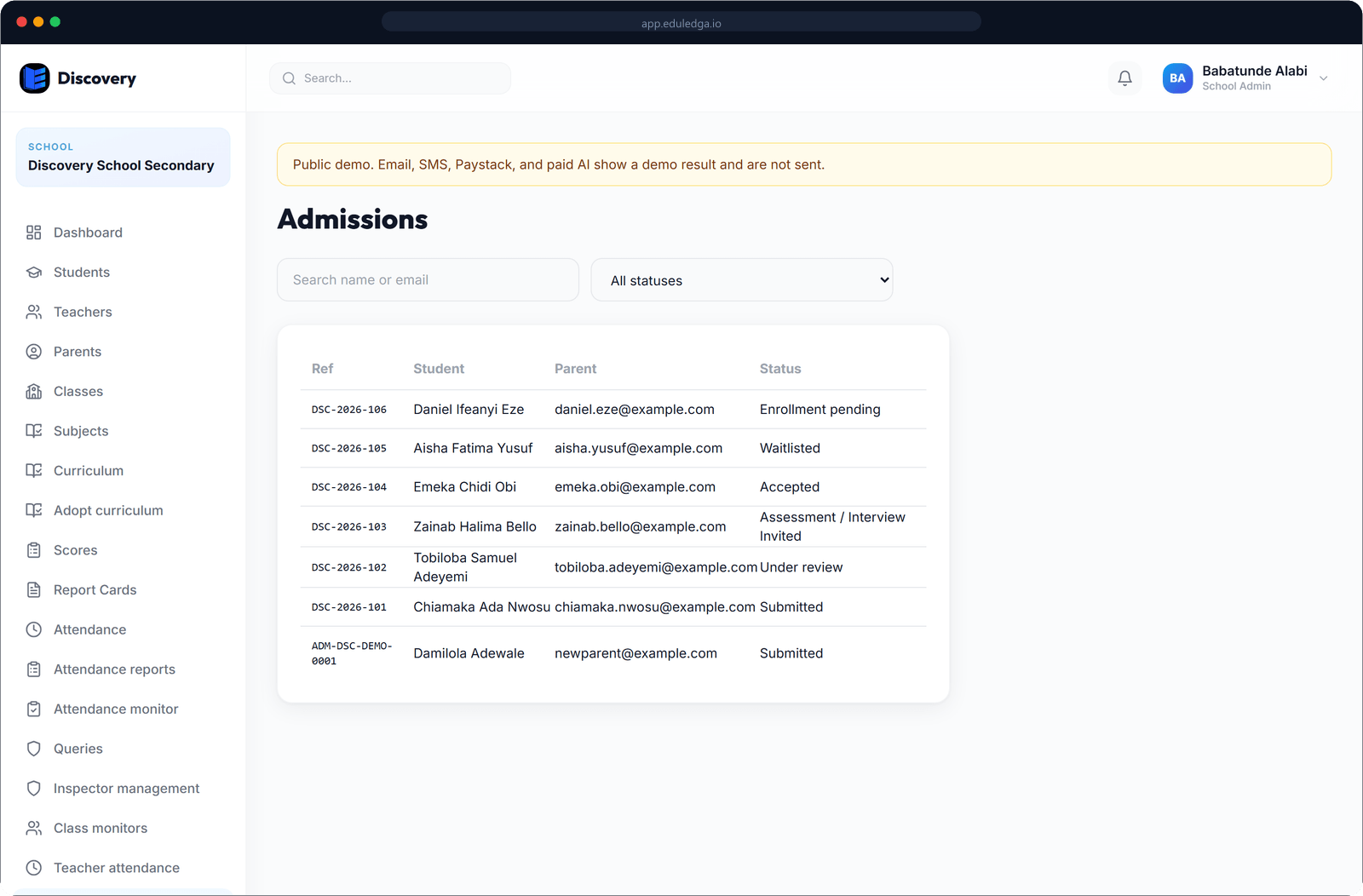
The short answer
EduLedga keeps one record for every student, from the day their parent applies to the day they graduate. Parents apply through your school's own online admission form. Your team reviews each application, schedules interviews and entrance assessments, sends the admission letter and enrols the child. Existing students come in from a spreadsheet, and no student needs an email address to have a full record.
From first enquiry to first day.
Your own admission form
Choose the questions your school asks, from previous school to medical needs. Parents fill it in online and upload documents such as birth certificates and passport photos.
A clear admissions pipeline
Every application has a status: submitted, under review, assessment required, accepted, waitlisted or rejected. Your team sees where each one stands, with its full history.
Interviews and entrance assessments
Schedule an interview with a date, venue and instructions for the family. Record each child's entrance assessment score and notes.
Admission letters and enrolment
Generate the admission letter, then enrol the child into their class in one step. Their record carries straight on from the application.
Import your existing students
Download the template, fill it in from your current register and upload it. Check the file before anything is saved, then import the whole roll at once.
No email needed
Many pupils have no email address. They still get a full EduLedga record: biodata, class, guardians, results and attendance.
Admission numbers your way
EduLedga can number new students for you using your school's short code and year, for example ABC/2026/0001, or you can keep the numbers you already use. Each number is unique within your school.
Complete student profiles
Biodata, passport photo, guardians, medical information, documents and class history, all on one profile.
Parents and siblings linked
Link each parent or guardian to their children. A parent with three children sees all three in one place.
- 1
Set up your admission form and publish it on your school website.
- 2
Parents apply online and upload their documents.
- 3
Review applications, schedule interviews and record entrance assessments.
- 4
Accept, send the admission letter and enrol the child into their class.
- 5
For students already in school, import them from the spreadsheet template.
Built for the way Nigerian schools admit pupils.
Entrance exams and interviews, admission letters, admission numbers with the school's short code, and pupils who have a parent's phone number but no email address of their own. EduLedga starts from the way admissions already work in Nigerian schools, then takes the paper out of it.
Related modules
Related guides
Frequently asked questions
Can we import students from Excel?
Yes. Download the import template, fill it in and upload it. You can check the file before anything is saved.
Do students need email addresses?
No. Students can have a full record without an email address.
Can parents apply online?
Yes. Parents apply through your school's online admission form and upload documents. You choose the questions on the form.
Can we keep our existing admission numbers?
Yes. Keep your own numbers, or let EduLedga create them using your school's short code and year.
Can one parent be linked to several children?
Yes. Link a parent to each of their children and they see them all from one login.