Timetables that respect break time.
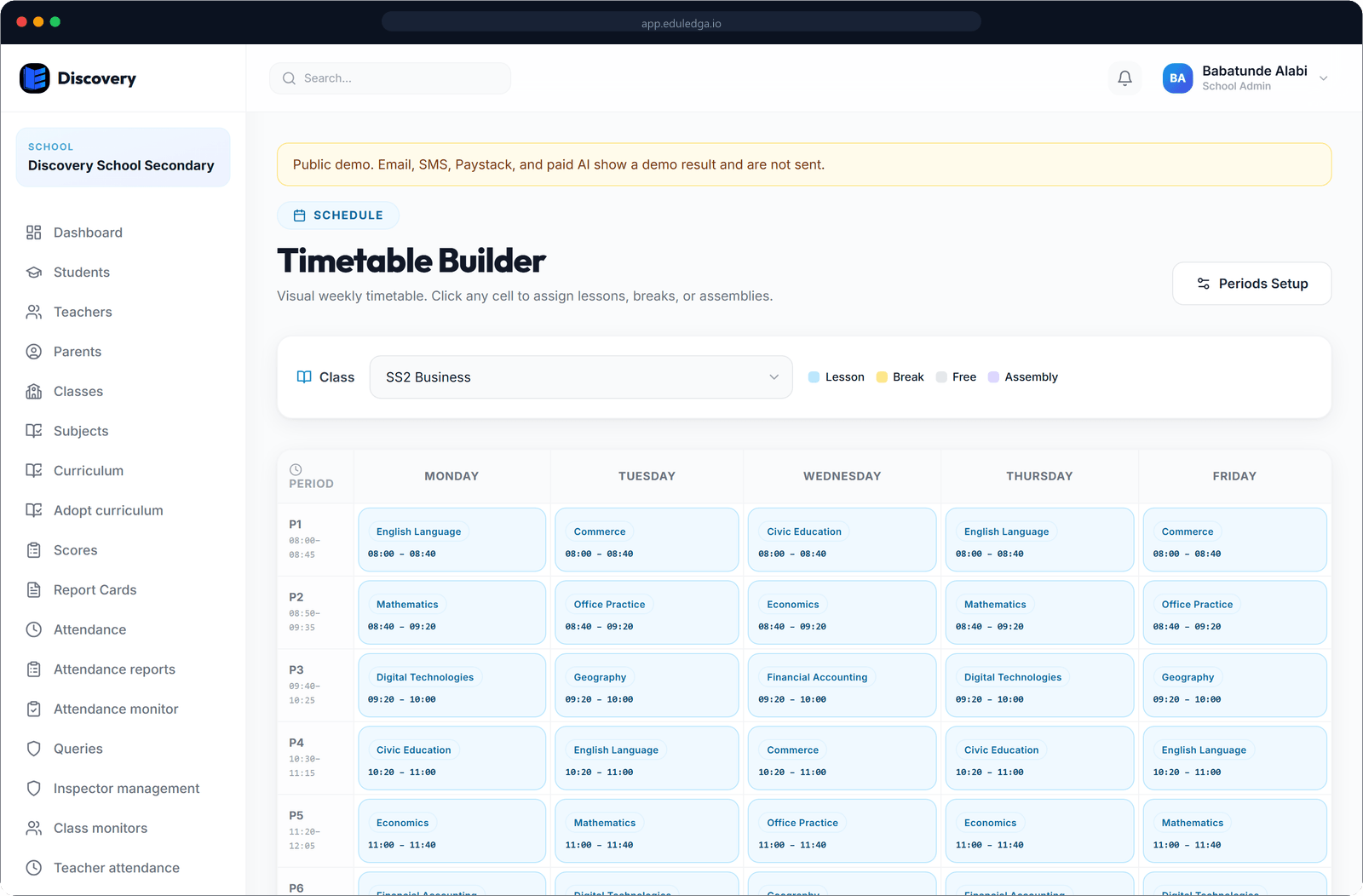
Set up your classes and arms, give each class its subjects and teachers, and build a timetable with real periods, short break, long break and assembly. EduLedga won't let you book a teacher into two classes in the same period.
The short answer
EduLedga holds your school's structure: classes and arms such as JSS 1A and JSS 1B, the subjects each class takes and the teacher for each subject. On top of that you build a weekly timetable with lessons, breaks, assembly and free periods. EduLedga won't let you book a teacher into two classes in the same period. Teachers see their own schedule and their next class, and students see their class timetable.
Your school's structure, set up once.
Classes and arms
Create every class and arm, from Nursery and Primary 1 to SS 3, with the arms your school uses: A, B, Gold, Blue or anything else.
Subjects per class
Give each class its own subject list, matched to the NERDC curriculum for its level.
Teachers for each subject
Assign a teacher to each subject in each class. That assignment decides which score sheets and registers they see.
Real periods and breaks
Set how many periods your school day has, then add lessons, short break, long break, assembly, free periods and your own slot types, such as clubs or prep.
No double-booking
EduLedga checks every lesson as you add it and won't let you book a teacher into two classes in the same period.
Build fast
Add slots one by one or fill a whole week in one go, then adjust.
Each person's view
Teachers see their own weekly schedule and their next class. Students see their class timetable. Class monitors and inspectors use the timetable to confirm lessons.
Learn more- 1
Create your classes and arms.
- 2
Give each class its subjects and assign a teacher to each one.
- 3
Set your periods per day and your breaks and assembly.
- 4
Fill in the timetable. EduLedga won't let you book a teacher into two classes in the same period.
- 5
Save it. Teachers and students see their timetables as soon as you do.
Built around the Nigerian school day.
Assembly in the morning, short break, long break, and JSS and SSS arms with their own subject lists. EduLedga uses the structure Nigerian schools already run on, and subjects can be set up to match the 2025 revised NERDC curriculum, level by level.
Related guides
Frequently asked questions
Can we add short break, long break and assembly?
Yes. Add breaks, assembly, free periods and your own slot types alongside lessons.
Does EduLedga stop a teacher being double-booked?
Yes. EduLedga won't let you book a teacher into two classes in the same period.
Can each class have different subjects?
Yes. Each class has its own subject list and its own subject teachers.
Can teachers see their own timetable?
Yes. Each teacher sees their weekly schedule and their next class when they sign in.